
You can view the NMEA 0183 data coming out of one of our USB devices using our NMEA 0183 Display App, a simple web app that runs in Chrome, Opera or MS Edge browsers on your desktop computer. Here is a link to an article on the app, with links to download it…
https://digitalyacht.net/2026/03/10/nmea0183-display-app/
Once you have downloaded the NMEA0183 Display App HTML file, double click on it to open it in your browser.
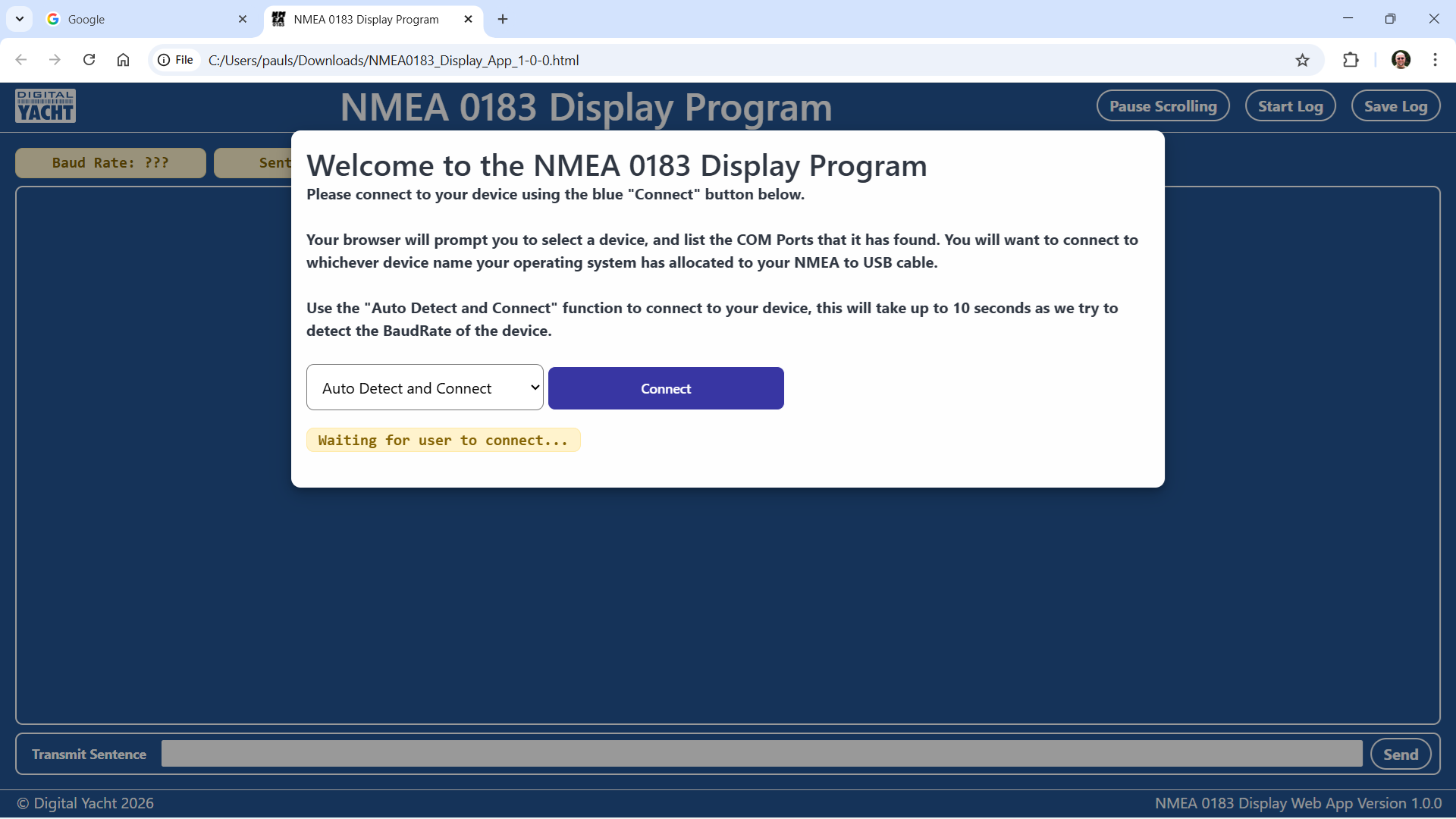
Now click the CONNECT button and a list of the detected COM ports will be displayed…
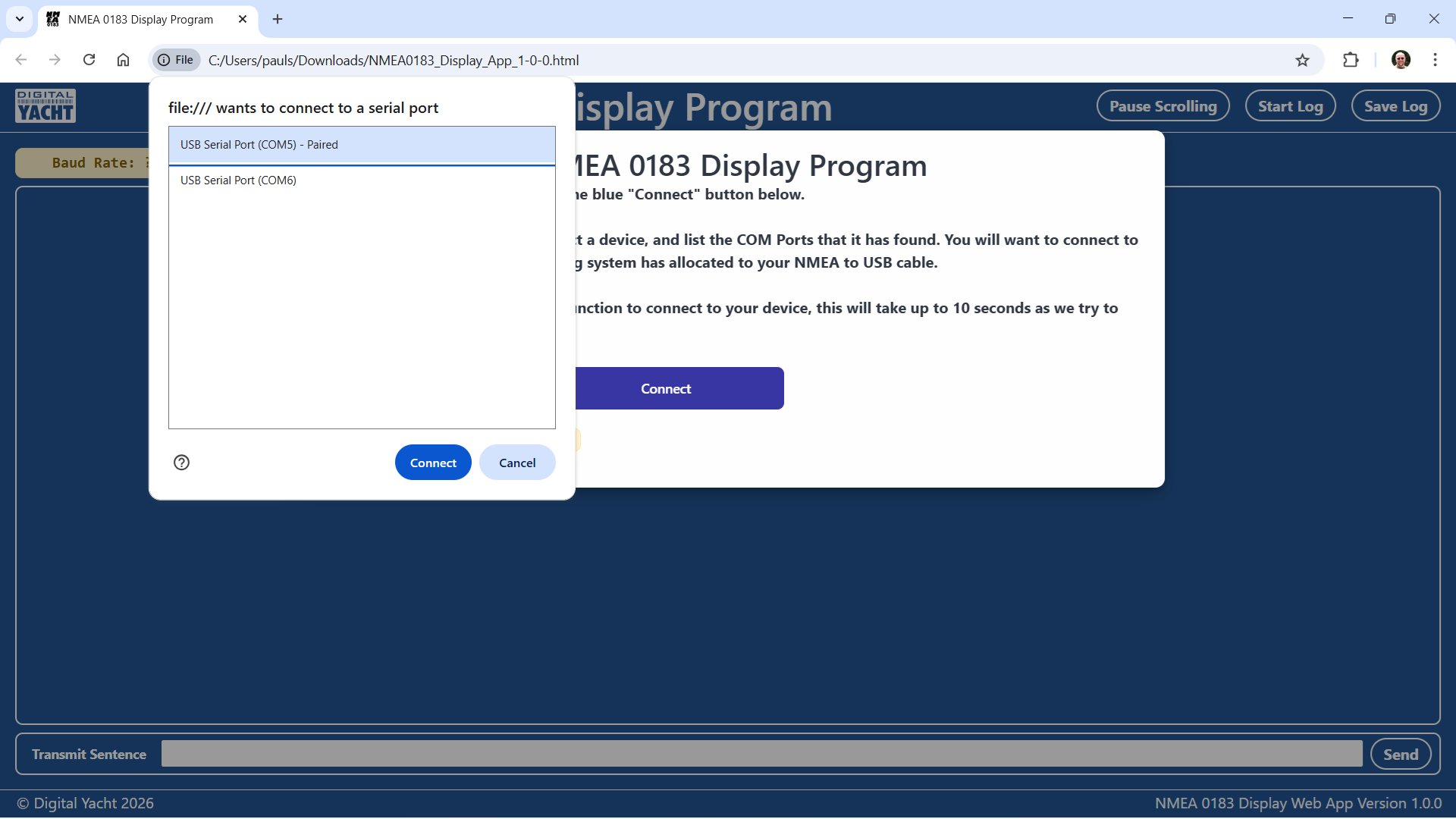
Select the COM port that your Digital Yacht USB device has been allocated and click the CONNECT button. Now the App will auto-detect the baud rate that the device is using; 4800, 38400, 115200 or 230400 baud…
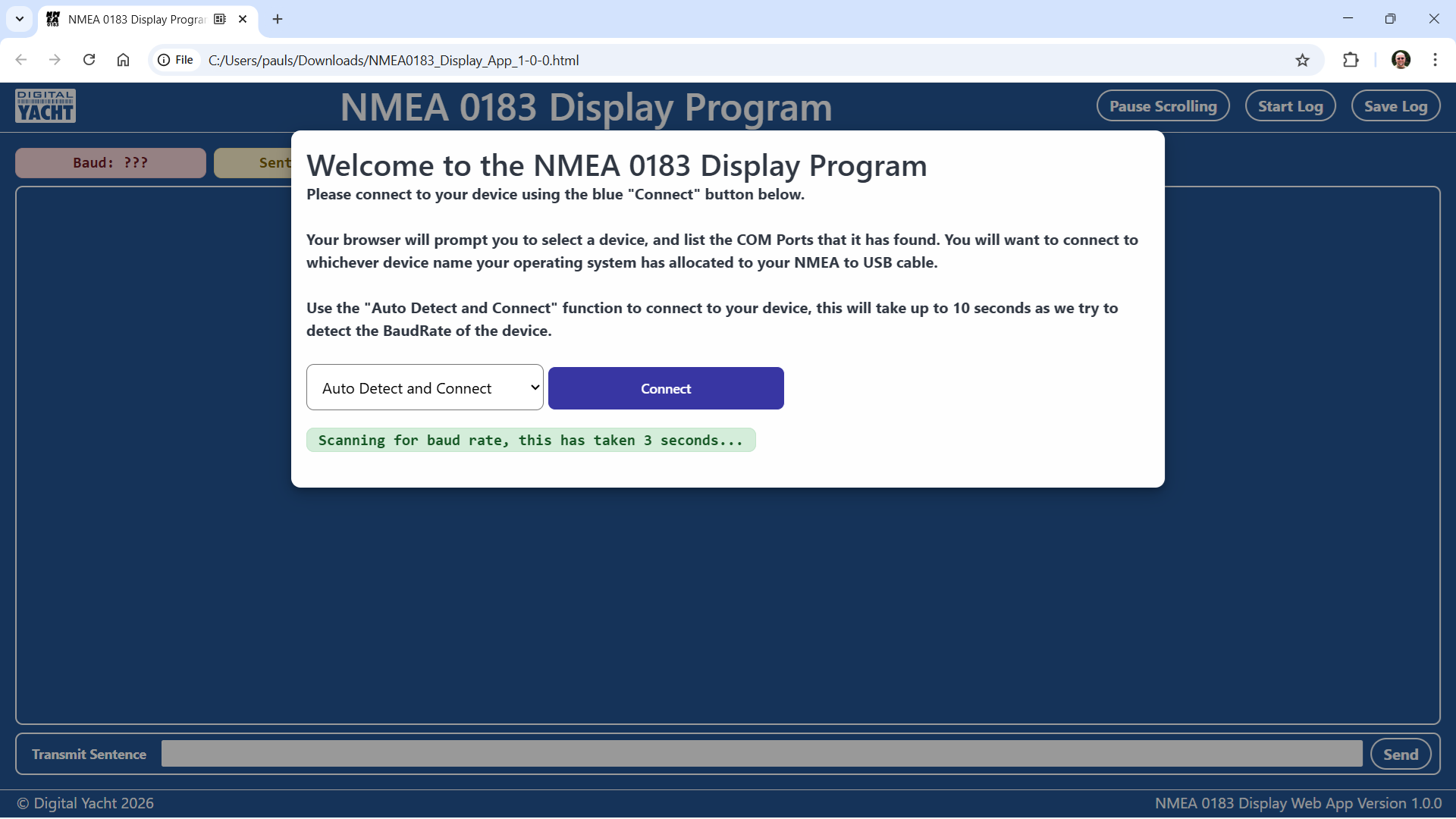
Once the baud rate has been detected, you will start to see the NMEA 0183 sentences scrolling down the screen.
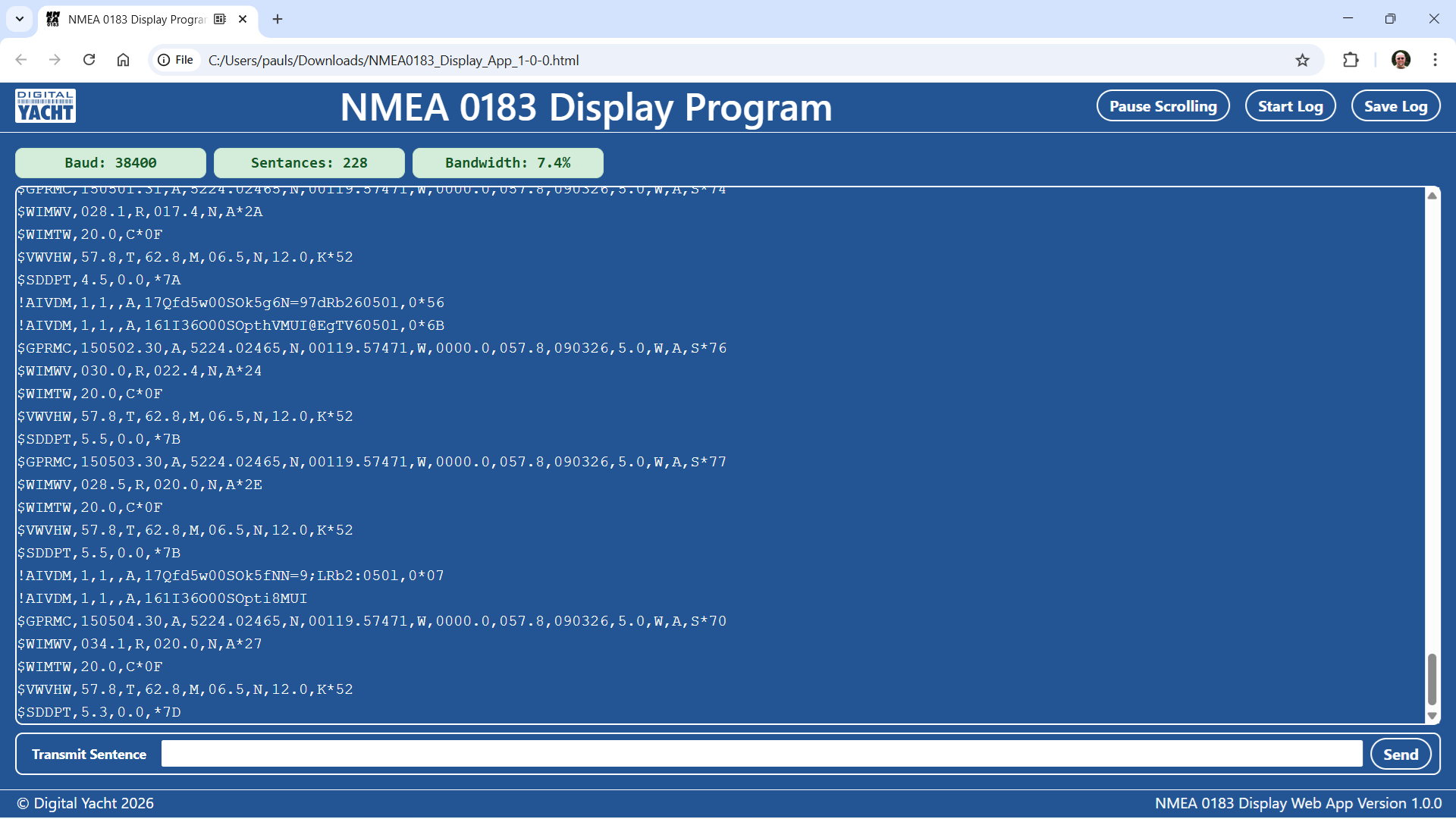
To understand the data that you are seeing, you will need to search online for information on NMEA 0183 or consider buying the latest NMEA 0183 specification from the NMEA organisation at https://nmea.org