

NjordLink Plus
SKU: ZDIGNJORDPL
How to Set Up Custom Notifications in Njord Cloud?
This is a guide for setting up custom notifications on njord.cloud this guide covers setting a low-speed alert but can be used to set up custom alerts on any numerical value that is being transmitted on your NMEA2000 network.
- Log in to the njordLINK plus app on your phone
- Ensure that push notifications are enabled for the njordLINK plus app in your phone settings, https://www.wikihow.com/Why-Am-I-Not-Getting-Notifications
- This step is required so that we can associate your account with your device when you set up your alert. If you haven’t used it recently your notification key may have changed and will stop you from receiving alerts.
- If you’re already logged in on the app you do not have to re-login as your keys should update automatically
- Log in to cloud with the same account
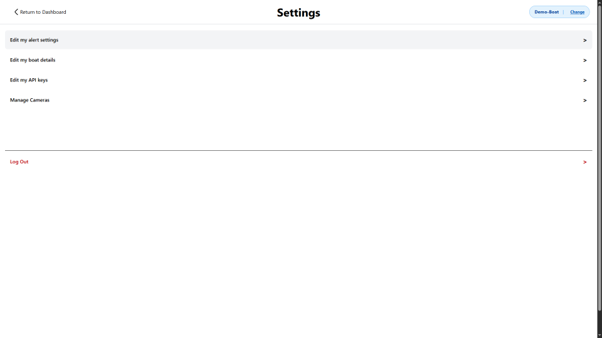
- Select the settings icon on the top right of your screen (white cog)
- Select “Edit my alert settings”, if you have selected a language other than English, it will be the top option in the list
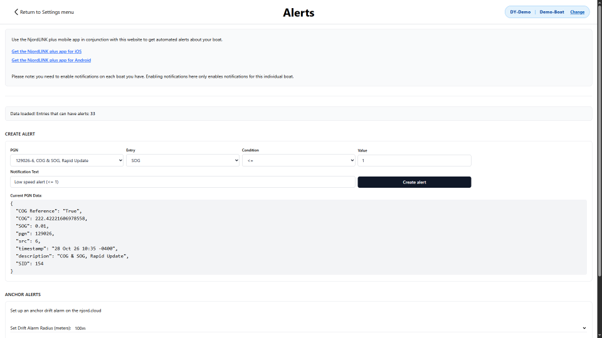
- Select the PGN you want to set up a push notification for and edit the rules for it,
- You’ll only be able to see PGN’s for devices currently connected to the boat so if it doesn’t appear ensure the device is on and correctly transmitting data.
- You’ll only be able to see PGN’s for devices currently connected to the boat so if it doesn’t appear ensure the device is on and correctly transmitting data.
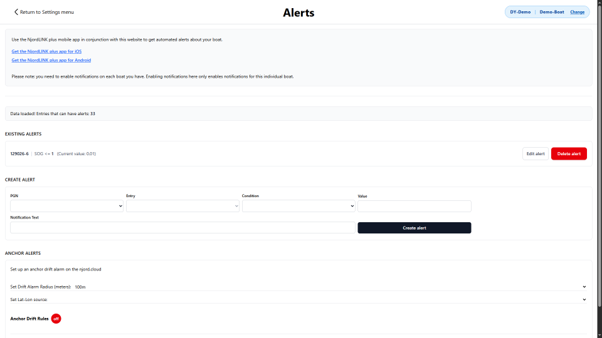
- Click the “Create alert” button (black button with white text next to the notification text input)
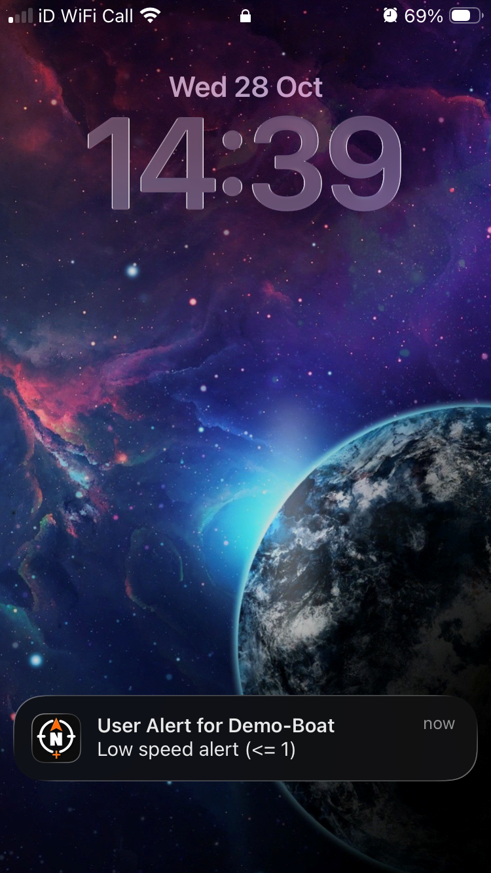
- A notification will appear on your phone within a minute, but this depends on network connectivity and server load.
- If it is taking too long for a notification to appear then your device may not have received an alert, this can be caused by internet connectivity issues.
- If it is taking too long for a notification to appear then your device may not have received an alert, this can be caused by internet connectivity issues.
How to support two NMEA 2000 networks on NjordLink+
To support two NMEA 2000 networks on NjordLink+, you must download the following tech note.
NjordLink+ Quick Start Guide V1_00
865.16 KB
Updating…